CSPDCL stands for Chhattisgarh State Power Distribution Company Limited. It is the state electricity distribution company supplying power to consumers across Chhattisgarh. Its official website combines billing, online payment, consumer registration, complaint services, new-connection facilities and several self-service options under one system.
A large part of routine electricity work can now be handled without visiting a CSPDCL office. Consumers can use a BP Number to check or pay a bill, create a Web Self Service account, review payment-related information and register electricity complaints. This guide explains the current CSPDCL login process, bill payment, bill viewing and customer-care channels in a practical way.
CSPDCL Quick Details
| Details | Information |
| Full Name | Chhattisgarh State Power Distribution Company Limited |
| Common Name | CSPDCL |
| Service Area | Chhattisgarh |
| Main Services | Electricity distribution and consumer services |
| Online Bill Payment | Available |
| Bill Viewing | Available |
| Payment Without Login | Available through Quick Bill Payment |
| Customer Care | 1912 / 1800-233-1920 / 1800-203-1912 |
| Corporate Office | Vidyut Seva Bhavan, Danganiya, Raipur |
| Official Website | cspdcl.co.in |
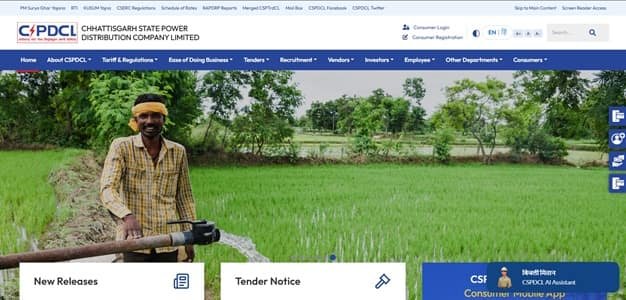
The current CSPDCL website provides Quick Bill Payment, Consumer e-Seva, consumer registration, payment receipt and payment-status facilities. The company also offers the Mor Bijlee mobile app for electricity-bill and consumer services.
CSPDCL Login
CSPDCL provides Web Self Service for registered consumers. The current consumer-login screen uses the registered mobile number with security verification, while new consumer registration begins with the BP Number. The BP Number is the main account identifier used for most CSPDCL billing services.
To access CSPDCL online consumer services, follow these general steps:
- Visit the official CSPDCL website.
- Open Consumer Login under Consumer e-Seva.
- Enter the registered 10-digit mobile number.
- Complete the CAPTCHA or security verification shown on the screen.
- Request and complete OTP verification where prompted.
- If the account is not registered, open Consumer Registration and enter the BP Number.
- After successful access, use the available billing, payment and complaint services.
If login or registration fails, first confirm that the BP Number and mobile number belong to the same electricity account. CSPDCL also provides registration assistance through its 24×7 call centre. Repeatedly creating new registrations is usually less useful than correcting the mobile number linked with the account.
CSPDCL Electricity Bill Payment
CSPDCL consumers can pay electricity bills online through the official portal. The website provides a Quick Bill Payment facility for consumers who simply want to clear a bill, as well as payment options inside the registered consumer account.
The portal currently supports common digital modes such as UPI, net banking, debit/credit cards and other authorised channels. CSPDCL also lists RTGS/NEFT and several offline collection options. Consumers should always begin from the official website or Mor Bijlee app to avoid fake electricity-payment links.
How to Pay CSPDCL Electricity Bill Online
The general process is:
- Visit the official CSPDCL website.
- Open Pay Your Bill Online or Quick Bill Payment.
- Enter the BP Number for the LT or HT connection.
- Submit the details and verify the consumer account shown on screen.
- Check the current payable amount, due date and any arrears.
- Select an available authorised payment mode.
- Complete the payment through the payment gateway.
- Save the receipt, payment reference or acknowledgement after the transaction.
Quick Bill Payment is useful when the consumer does not need to enter the full Web Self Service account. Registered users can also sign in and use the bill-payment option for the accounts linked with their profile.
CSPDCL separately provides Online Payment Receipt and Check Payment Status services. These are useful when a payment has been made but the consumer needs proof of payment or wants to confirm whether the transaction has been posted.
How to View CSPDCL Electricity Bill
CSPDCL bill information is tied to the BP Number. Consumers can use the public bill/payment facilities for current dues and can use Web Self Service for a broader view of billing and payment information linked with a registered account.
Steps to View CSPDCL Bill
- Go to the official CSPDCL website.
- Open Quick Bill Payment, Consumer Verification or the relevant bill service.
- Enter the BP Number printed on the electricity bill.
- Complete the security verification if displayed.
- Submit the BP Number.
- Check the consumer details before proceeding.
- Review the current bill amount and payment-related information shown by the portal.
- Use the available option to pay, check status or obtain the relevant receipt.
The BP Number should be copied exactly from the electricity bill. If the portal says that the number is invalid, check for typing errors and make sure the connection belongs to CSPDCL rather than another power utility.
Registered Web Self Service users can access additional billing and service information through the consumer dashboard. The Mor Bijlee app is another official route for supported consumer services and can be useful when the website is inconvenient on a mobile phone.
How to Download CSPDCL Bill
After completing a payment, consumers can use CSPDCL’s online receipt facility to obtain the available payment acknowledgement. Registered users can also retain bills and payment records shown inside Web Self Service or the mobile app.
Saving the latest bill and receipt is advisable, especially when payment is made near the due date. The transaction reference, BP Number and date of payment are the most useful details if a payment has to be traced later.
CSPDCL Customer Care Number
CSPDCL operates a 24×7 centralised call centre for electricity and billing complaints. Consumers within Chhattisgarh can dial 1912. The company also lists 1800-233-1920 and 1800-203-1912 as toll-free support numbers.
| Customer Service | Contact | ||||||
| CSPDCL Customer Care | 1912 | ||||||
| Toll-Free Support | 1800-233-1920 | ||||||
| Alternate Toll-Free | 1800-203-1912 | ||||||
For complaint handling, keep the BP Number, registered mobile number and location details ready. CSPDCL also supports online technical and commercial complaint registration and status checking through Web Self Service.
The registered office of CSPDCL is:
Vidyut Seva Bhavan, Danganiya, Raipur, Chhattisgarh – 492013. Routine bill payment, no-supply complaints and billing queries are generally better handled through the online portal, 1912 or the consumer’s local electricity office.
Other CSPDCL Online Services
Apart from bill viewing and payment, CSPDCL offers consumer registration, online complaints, complaint status, new-connection services, last-payment details, contact-detail services, outage information and the Mor Bijlee mobile application. Consumers can also access payment-status and online-receipt services separately when required.
Frequently Asked Questions
Q. What should I do if money is deducted but the CSPDCL bill still appears unpaid?
Do not make a second payment immediately. Use the Check Payment Status or Online Payment Receipt facility and keep the bank/UPI reference. If the transaction remains unposted after allowing normal reconciliation time, contact CSPDCL on 1912 with the BP Number, amount, date and transaction reference.
Q. Why am I unable to register my CSPDCL account even though the BP Number is correct?
Registration can fail when the mobile details linked with the consumer account are outdated or when the BP Number is entered incorrectly. Recheck the number from a recent bill and use the 1912 call centre or the local office if the registered mobile number needs correction.
Q. What should I do if a CSPDCL bill is much higher than my normal consumption?
Compare the meter reading with the reading shown on the bill and look for a sharp change in units consumed. Take a clear dated photograph of the meter and register a billing or meter-related complaint if the reading or consumption appears inconsistent.
Q. Can someone else pay my CSPDCL electricity bill for me?
A bill can generally be paid through the public payment facility when the correct BP Number and payable amount are available. The payer should still verify the consumer name and connection details before authorising the transaction and should preserve the receipt.
Q. How should I handle repeated power failures if an earlier complaint is still unresolved?
Keep the earlier complaint or service-request number and check its status through the complaint facility. If the outage continues or the complaint is closed without restoration, call 1912 again and quote the previous reference so the issue can be escalated with a clear history.