TPDDL, commonly known as Tata Power-DDL, stands for Tata Power Delhi Distribution Limited. It distributes electricity across North and North-West Delhi and has built a wide set of digital services for billing, payments, complaints and connection-related work. Consumers can manage most day-to-day requirements through the official website and mobile services without standing in a payment queue.
The Contract Account or CA Number is central to TPDDL consumer services. Registered users can view billing history, download duplicate bills, check payment details and manage account information, while online payment can be made through the company’s digital payment channels. This guide covers login, electricity bill payment, bill viewing and the current customer-care options.
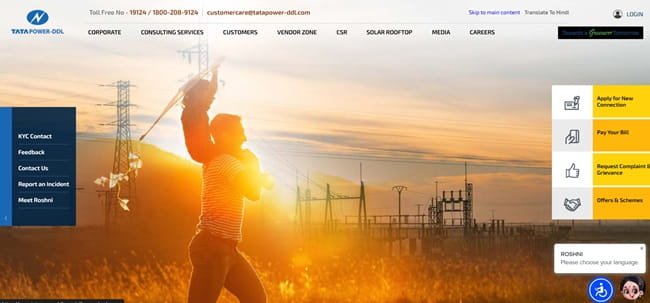
TPDDL Quick Details
| Details | Information |
| Full Name | Tata Power Delhi Distribution Limited |
| Common Name | TPDDL / Tata Power-DDL |
| Service Area | North and North-West Delhi |
| Main Services | Electricity distribution and consumer services |
| Online Bill Payment | Available |
| Bill Viewing | Available through registered account |
| Payment Without Login | Available through online payment facilities |
| Customer Care | 19124 / 1800-208-9124 |
| Corporate Office | NDPL House, Hudson Lines, Kingsway Camp, Delhi |
| Official Website | tatapower-ddl.com |
Tata Power-DDL currently provides online bill payment, customer login, duplicate-bill access, payment-history services, complaint registration and several connection-related facilities. Its current customer charter also lists the My Tata Power App as an official digital channel.
TPDDL Login
TPDDL consumers can create an online account by registering their Contract Account Number. The CA Number is an 11-digit number printed on the electricity bill. Registration may require connection details such as the CA Number, meter number or sanctioned load and a valid email address before login credentials are created.
To access TPDDL online consumer services, follow these general steps:
- Visit the official Tata Power-DDL website: https://www.tatapower-ddl.com/.
- Open the Customer Login or My Account section.
- If already registered, enter the username/login credentials and password.
- Complete the security verification shown on the page.
- If not registered, select the option to register the CA Number.
- Enter the requested connection details and complete registration.
- After login, open billing, payment history, duplicate bill or complaint services as needed.
If the password or login cannot be recovered, use the account-recovery option or contact Tata Power-DDL customer care. The CA Number should always be taken from a recent bill because it is the main link between the online account and the electricity connection.
TPDDL Electricity Bill Payment
Tata Power-DDL supports online electricity-bill payment through its website and digital channels. Consumers can pay using options such as net banking, cards, UPI and other authorised payment methods displayed by the portal.
The company also provides multiple payment avenues outside the website, including banking and authorised collection channels. For online payments, consumers should verify the 11-digit CA Number, consumer details and amount before approving the transaction.
How to Pay TPDDL Electricity Bill Online
The general process is:
- Open the official Tata Power-DDL website.
- Select Pay Bill Online.
- Enter or select the correct 11-digit CA Number.
- Fetch the current payable amount.
- Check the bill amount, due date and connection details.
- Choose an available digital payment method.
- Complete the transaction through the authorised payment page.
- Save the e-receipt or transaction reference after successful payment.
Registered consumers can also review account information and previous payment details after login. Tata Power-DDL states that online payments are normally reflected in the account within a short processing period, although bank or gateway reconciliation can occasionally take longer.
If a payment fails but the bank account is debited, avoid paying again until the transaction status has been checked. Keep the bank reference and CA Number ready when contacting customer care.
How to View TPDDL Electricity Bill
TPDDL consumers can view billing information and obtain duplicate bills through the customer account. The portal also provides payment history and account information after the CA Number has been registered.
Steps to View TPDDL Bill
- Go to the official Tata Power-DDL website.
- Open Customer Login / My Account.
- Sign in with the registered credentials.
- Select the electricity connection or CA Number if more than one account is linked.
- Open Billing Details or the duplicate-bill option.
- Select the current bill or required billing period.
- Review the bill amount, meter information and due date.
- Download or print the duplicate bill if required.
Tata Power-DDL also provides digital alternatives for obtaining a duplicate bill. Consumers can use supported mobile services and, where available, request a bill through the company’s WhatsApp-based facility using the registered mobile number.
The CA Number is 11 digits and should not be confused with a meter number. If a connection cannot be added to the online account, compare the CA Number with the latest bill and ensure that the registration details match the consumer record.
How to Download TPDDL Bill
Once logged in, consumers can open the bill details section and download or print a duplicate electricity bill. The company’s digital channels also provide access to payment receipts and historical billing information for registered accounts.
A saved copy of the bill is useful for checking tariff components, meter readings and previous dues. Payment receipts should also be retained until the payment is clearly reflected in the consumer account.
TPDDL Customer Care Number
Tata Power-DDL operates the 24×7 Sampark Kendra at 19124. If 19124 is not reachable or the consumer is calling from outside Delhi, the company also lists 1800-208-9124. Billing, metering, no-supply, new-connection and complaint-status issues can be routed through these channels.
| Customer Service | Contact | ||||||
| Tata Power-DDL Helpline | 19124 | ||||||
| Outside Delhi / Alternate | 1800-208-9124 | ||||||
| Customer Care Email | customercare@tatapower-ddl.com | ||||||
Consumers can also write to customercare@tatapower-ddl.com or use the complaint section on the official website. Keep the 11-digit CA Number and any earlier complaint reference ready when following up.
The registered and corporate office of Tata Power-DDL is:
NDPL House, Hudson Lines, Kingsway Camp, Delhi – 110009. Routine consumer matters are normally handled through the 24×7 helpline, customer-care centres, website or digital channels rather than through a visit to the corporate office.
Other TPDDL Online Services
Tata Power-DDL provides services for complaint registration and tracking, connection-related requests, self-meter reading, payment history, duplicate bills, account information, e-billing and digital customer support. The company also maintains customer-care centres across its service area.
Frequently Asked Questions
Q. What should I do if a TPDDL online payment is debited but not reflected in my account?
Keep the bank or UPI transaction reference and check the payment/account history before paying again. If the amount remains unposted after normal processing time, call 19124 and provide the 11-digit CA Number, payment date, amount and transaction reference.
Q. How can I get a TPDDL bill if the paper bill was not delivered?
Registered consumers can download a duplicate bill from the online account. Tata Power-DDL also supports digital bill delivery through its mobile services and WhatsApp-based facilities, so a missing paper bill does not require waiting for the next billing cycle.
Q. What does it mean if my TPDDL bill is marked provisional?
A provisional bill may be generated when an actual meter reading is not available. Consumers should compare later reading-based bills and contact TPDDL if the provisional consumption appears abnormal or if the adjustment is not reflected correctly.
Q. What should I do if the meter reading on my TPDDL bill looks wrong?
Compare the printed reading with the actual meter display and take a clear dated photograph. If there is a mismatch, register a billing or meter-reading complaint through the website, app or 19124 and keep the complaint number for follow-up.
Q. Can I keep receiving only an e-bill instead of a paper TPDDL bill?
Yes. Tata Power-DDL provides a stop-paper-bill/e-bill option through its digital customer services. Make sure the correct email address and mobile number are registered so bill alerts and the electronic copy reach the right consumer.