UGVCL stands for Uttar Gujarat Vij Company Limited. It is the electricity distribution utility serving North Gujarat. Its official online services allow consumers to handle routine billing and account work without visiting an electricity office for every request.
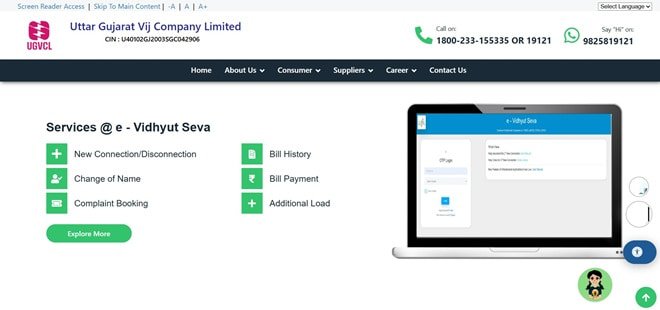
UGVCL consumers use the common GUVNL e-Vidhyut Seva portal for account-based services such as bill history and payment history. Login is mobile/OTP based, while the separate GUVNL Quick Pay facility allows a bill to be paid without opening the full consumer dashboard.
This article explains UGVCL login, online electricity bill payment, how to view or download a bill, customer care details and practical online services consumers may need.
UGVCL Quick Details
| Details | Information |
| Full Name | Uttar Gujarat Vij Company Limited |
| Common Name | UGVCL |
| Service Area | North Gujarat |
| Main Services | Electricity distribution and consumer services |
| Online Bill Payment | Available |
| Bill Viewing | Available |
| Primary Consumer Identifier | Consumer Number |
| Customer Care | 1800-233-155335 / 19121 |
| Office | UGVCL Registered & Corporate Office, Visnagar Road, Mehsana, Gujarat – 384001 |
| Official Website | ugvcl.com |
The official consumer system currently uses GUVNL e-Vidhyut Seva portal. Consumers should enter the identifier exactly as printed on a recent bill and verify the connection details before authorising a payment.
UGVCL Login
UGVCL registered services are available through GUVNL e-Vidhyut Seva. Consumers select UGVCL during login and then manage one or more linked electricity accounts from the dashboard.
To access UGVCL online consumer services, follow these general steps:
- Visit the official UGVCL website and open the GUVNL e-Vidhyut Seva portal.
- Select UGVCL from the DISCOM list.
- Enter the registered mobile number.
- Request and verify the OTP.
- Open Manage Account and add the LT, HT or Agriculture connection if it is not already linked.
- Enter the Consumer Number and the supporting bill details requested by the portal.
- After mapping the account, use the dashboard for bill history, payment history and other services.
If login fails, verify the consumer identifier and registered mobile/contact details before repeatedly resetting credentials. A recently changed mobile number or unmapped connection is a common reason for OTP or account-access problems.
UGVCL Electricity Bill Payment
UGVCL consumers can pay electricity dues through the authorised online payment route. In most cases, a one-time or quick-payment option is available so a consumer does not need to open the full registered dashboard merely to clear the current bill.
Before payment, keep the Consumer Number and a recent bill ready. Always confirm the consumer name, service address and amount shown on screen before proceeding to the payment gateway.
How to Pay UGVCL Electricity Bill Online
The general process is:
- Open the GUVNL Quick Pay page through the official payment route.
- Select UGVCL as the company.
- Enter the Consumer Number and CAPTCHA.
- Fetch the account and confirm the consumer name and outstanding amount.
- Provide the mobile number/email if requested.
- Choose the available payment gateway and complete payment.
- Save the acknowledgement or transaction reference for future verification.
After payment, do not close the page until the transaction status is displayed. Save the acknowledgement, transaction ID or receipt. This is especially important when payment is made close to the due date or when the account has previous arrears.
If the bank account is debited but the utility does not immediately show the payment, avoid making a duplicate payment without first checking payment status/history and the transaction reference.
How to View UGVCL Electricity Bill
UGVCL provides online bill access through its consumer or bill-viewing system. Depending on the utility, the current bill may be fetched directly with the Consumer Number, while historical bills generally require a registered account.
Steps to View UGVCL Bill
- Login to e-Vidhyut Seva using the registered mobile number and OTP.
- Choose UGVCL.
- Select the linked Consumer Number or add it through Manage Account.
- Open Bill History.
- Choose the month or billing period required.
- View the current or previous bill and use the available download/print option.
- Use Payment History when the purpose is to verify a past payment rather than the bill itself.
When checking a bill, review more than the total payable amount. Confirm the billing period, meter reading, units consumed, previous balance or adjustment, due date and any delayed-payment charge shown on the account.
How to Download UGVCL Bill
Where the portal provides a bill PDF, statement or printable bill view, open the required billing period and use the download/print option. Consumers who need an older document should use bill history or statement-of-account services rather than relying only on the current Quick Pay screen.
It is useful to save important bills and payment receipts for address proof, reimbursement, tax/accounting records, tenant-landlord reconciliation or future billing disputes. A saved copy also helps when a portal is temporarily unavailable.
UGVCL Customer Care Number
The principal UGVCL consumer-support contact is 1800-233-155335 / 19121. Consumers should use official customer-care channels for supply failure, billing errors, meter issues, payment problems and other electricity-service complaints.
| Customer Service | Contact |
| UGVCL Customer Care | 1800-233-155335 / 19121 |
| Consumer Portal | GUVNL e-Vidhyut Seva |
| Official Website | ugvcl.com |
When registering a complaint, keep the consumer identifier, registered mobile number, exact service address and a short description of the problem ready. Note the complaint/reference number and use it for follow-up rather than opening repeated complaints for the same issue.
UGVCL Office Address
The relevant corporate/consumer office information is: UGVCL Registered & Corporate Office, Visnagar Road, Mehsana, Gujarat – 384001. Routine bill payments and common service requests should normally be handled through the online portal or local service office unless the matter specifically requires escalation.
Other UGVCL Online Services
Apart from bill payment and bill viewing, UGVCL digital services include new connection services, account management, LT/HT/agriculture account linking, bill history, payment history, online application tracking and related consumer-service requests.
Availability can depend on consumer category, meter type and service area. Smart/prepaid consumers may see additional recharge or consumption options that do not appear for ordinary postpaid connections.
Frequently Asked Questions
Q. What can I do if UGVCL OTP login is not working?
Confirm that the mobile number entered is the one mapped with the electricity connection and that UGVCL is selected. If the number has changed, update it through the authorised consumer-service process rather than creating repeated accounts.
Q. Why does UGVCL ask me to add my connection after I have already created a portal account?
The e-Vidhyut Seva user account and the electricity connection are separate. After login, the Consumer Number must be linked so the portal can show that connection’s bills, payment history and service requests.
Q. What should I keep as proof after paying a UGVCL bill online?
Keep the portal acknowledgement and the bank, card or UPI transaction reference. If the payment is later disputed or not reflected, these details help UGVCL trace the transaction.
Q. Can I use the UGVCL portal to compare my consumption over several months?
Yes. Once the connection is linked, bill history provides a practical way to review earlier bills and compare units billed over different periods. This is useful when investigating an unexpected increase.
Q. What should I do if UGVCL shows an arrear even though an earlier bill was paid?
Check payment history and your previous receipt first. If the payment is present but the arrear remains, raise a billing complaint with the Consumer Number, bill month and transaction proof rather than paying the disputed amount a second time without verification.