MSEDCL, or Maharashtra State Electricity Distribution Company Limited, is widely known as Mahavitaran and supplies electricity across most of Maharashtra outside areas served by separate distribution licensees. Its Web Self Service portal is one of the more complete electricity-consumer systems, with current and earlier bills, payment history, consumer information, online service requests and quick bill payment.
The main identifier for LT consumers is the 12-digit Consumer Number, and the View/Pay Bill screen can also require the BU or Circle Code. MSEDCL has added OTP-based authentication to the detailed bill-view process, so a correctly registered mobile number and e-mail address are increasingly important for online access.
This guide explains MSEDCL login, registration, bill payment, how to view or download an energy bill, customer-care numbers and the steps to follow when a digital payment or billing record does not look right.
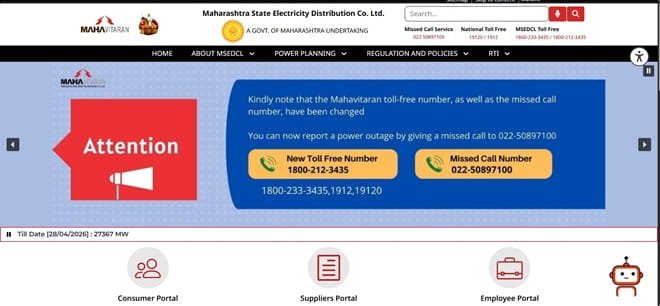
MSEDCL Quick Details
| Details | Information |
| Full Name | Maharashtra State Electricity Distribution Company Limited |
| Common Name | MSEDCL / Mahavitaran |
| Service Area | Most of Maharashtra outside separate distribution-license areas |
| Main Services | Electricity distribution and consumer services |
| Online Bill Payment | Available |
| Bill Viewing | Available |
| Primary Consumer Identifier | 12-digit Consumer Number plus BU/Circle Code where required |
| Customer Care | 1912 / 19120 |
| Office | Prakashgad, Plot No. G-9, Anant Kanekar Marg, Bandra (East), Mumbai – 400051 |
| Official Website | mahadiscom.in |
MSEDCL operates Web Self Service at its official Mahavitaran domain. Use the 12-digit Consumer Number exactly as printed on the bill and select the correct BU/Circle Code when the page asks for it.
MSEDCL Login
Registered MSEDCL consumers can use Web Self Service to manage bills, payment history, service requests and consumer information. Registration creates reusable login credentials, while selected facilities such as bill viewing/payment are also available without full account registration.
To access MSEDCL online consumer services, follow these general steps:
- Visit the official MSEDCL/Mahavitaran website.
- Open Web Self Service and choose Login.
- Enter the registered username and password.
- Complete CAPTCHA or other security checks.
- Open My Account after successful login.
- If you are a new user, use registration and add the correct Consumer Number.
- Use the supported recovery process if login credentials are forgotten.
For detailed energy-bill viewing, MSEDCL now uses OTP-based authentication. Make sure the mobile number and e-mail registered with the electricity account are current before relying on digital bill access.
MSEDCL Electricity Bill Payment
MSEDCL provides a Quick Bill Payment option as well as bill payment after login. Consumers can fetch dues using the Consumer Number and other billing identifiers shown on the page.
Before paying, confirm the consumer name, BU/Circle, bill month, payable amount and due date. This is especially important for users managing several MSEDCL connections.
How to Pay MSEDCL Electricity Bill Online
The general process is:
- Open the official Mahavitaran website.
- Choose Quick Bill Payment or View/Pay Bill.
- Select the consumer type and enter the 12-digit Consumer Number.
- Enter the BU/Circle Code and CAPTCHA when required.
- Fetch the bill and verify the account details.
- Choose an available online payment mode and complete the transaction.
- Save the payment acknowledgement or receipt and check payment history.
MSEDCL Web Self Service also provides payment history, earlier bills and additional security-deposit payment. Registered users can therefore verify whether an earlier transaction has reached the account before making another payment.
For an online-payment complaint, MSEDCL allows consumers to raise a service request through its digital channels. Keep the bank/UPI reference, Consumer Number and payment date ready.
How to View MSEDCL Electricity Bill
MSEDCL provides a dedicated View/Pay Bill function. The current screen asks for consumer type, the 12-digit Consumer Number and BU/Circle Code, and detailed bill viewing uses OTP authentication sent to registered contact details.
Steps to View MSEDCL Bill
- Open MSEDCL Web Self Service.
- Select View/Pay Bill.
- Choose the consumer type.
- Enter the 12-digit Consumer Number and the requested BU/Circle Code.
- Complete CAPTCHA and submit the bill lookup.
- Enter the OTP sent to the registered mobile/e-mail when required to view the energy bill.
- Download or save the bill and use bill history for earlier periods.
If the OTP does not arrive, first check whether the mobile number/e-mail mapped to the consumer account is current. Repeatedly requesting OTPs will not solve an outdated-contact problem; use the official contact-update or customer-care process instead.
How to Download MSEDCL Bill
After OTP validation, use the View Energy Bill/download option provided by Web Self Service. Registered users can also access earlier bills and payment history from My Account.
Save the actual bill PDF rather than only a screenshot when the document will be used for address proof, reimbursement or a formal billing complaint.
MSEDCL Customer Care Number
MSEDCL operates 24×7 customer-care channels. The national toll-free numbers are 1912 and 19120, while MSEDCL also lists 1800-233-3435 and 1800-212-3435. The official customer-care e-mail is customercare@mahadiscom.in.
When reporting a supply failure, billing problem or online-payment issue, keep the Consumer Number ready. For payment cases, also provide the transaction reference; for bill disputes, identify the bill month and specific charge or reading being questioned.
| Customer Service | Contact |
| National Toll Free | 1912 / 19120 |
| MSEDCL Toll Free | 1800-233-3435 / 1800-212-3435 |
| Customer Care Email | customercare@mahadiscom.in |
| Official Website | mahadiscom.in |
MSEDCL Office Address
MSEDCL office address commonly listed on the official site: Prakashgad, Plot No. G-9, Anant Kanekar Marg, Bandra (East), Mumbai – 400051. Consumers should normally use the local section/circle office or customer-care system for connection-specific issues rather than visiting the head office.
Other MSEDCL Online Services
MSEDCL Web Self Service provides current and earlier bills, payment history, consumer information, service requests, new connection and load-related applications, additional security-deposit payment and other account-linked facilities.
Mahavitaran also operates mobile and smart-meter services. Availability can vary by connection type and rollout area, so the consumer dashboard is the best place to check which functions are active for a particular account.
Frequently Asked Questions
Q. What is the BU Code on an MSEDCL electricity bill?
BU refers to the billing unit associated with the electricity connection. MSEDCL may require the BU/Circle Code along with the Consumer Number to locate the correct billing record, so use the code printed on a recent bill.
Q. Why does MSEDCL ask for OTP before showing the energy bill?
MSEDCL has introduced OTP-based authentication for added security. The OTP is sent to registered contact details, which helps prevent unauthorised access to detailed consumer billing information.
Q. What should I do if an MSEDCL payment is debited but does not appear in payment history?
Do not immediately pay again. Keep the transaction reference, check Web Self Service/payment history and raise an online-payment complaint through Mahavitaran customer care if the status does not reconcile.
Q. Can I download older MSEDCL bills?
Yes. Registered Web Self Service users can access earlier bills and download bill details from the account. Availability may depend on the history retained for the connection.
Q. How can I fix an old mobile number linked to my MSEDCL account?
Use the official Mahavitaran contact-update/service-request facility or customer-care channel. Correcting the registered contact is important because OTPs and service alerts depend on it.



