APSPDCL stands for Southern Power Distribution Company of Andhra Pradesh Limited. It distributes electricity to consumers across the southern part of Andhra Pradesh and provides a broad range of online services for domestic, commercial, agricultural and other electricity connections. Its official portal supports consumer login, bill viewing, online payment, new connection services and complaint-related assistance.
The APSPDCL website separates several services by consumer type and also provides a public View/Pay Bill facility. Consumers can therefore check a current bill and make a payment without depending on an office visit. This article explains the login process, online electricity bill payment, bill viewing and the official customer-care options.
APSPDCL Quick Details
| Details | Information |
| Full Name | Southern Power Distribution Company of Andhra Pradesh Limited |
| Common Name | APSPDCL / Southern Power |
| Service Area | Southern Andhra Pradesh |
| Main Services | Electricity distribution and consumer services |
| Online Bill Payment | Available |
| Bill Viewing | Available |
| Payment Without Login | Available through View/Pay Bill |
| Customer Care | 1912 / 1800425155333 |
| Corporate Office | Tirupati, Andhra Pradesh |
| Official Website | apspdcl.in |
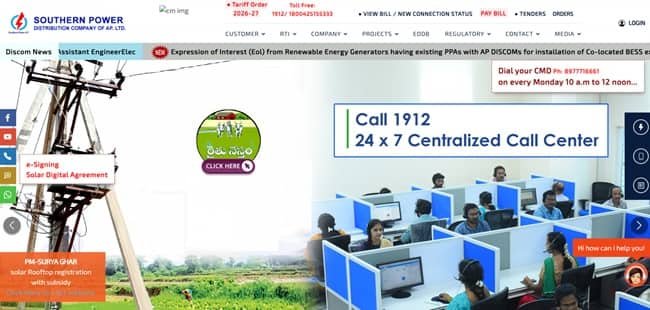
The current APSPDCL website places View Bill and Pay Bill prominently on the consumer side of the portal. It also provides LT, HT and Composite Billing login options, complaint registration, new connection facilities, tariff information and digital-payment services.
APSPDCL Login
APSPDCL provides separate consumer-login options for LT and HT users, along with Composite Billing access. Consumers should choose the login that matches the type of electricity service because credentials and available functions may differ.
To access APSPDCL consumer login, follow these general steps:
- Visit the official APSPDCL website.
- Open the Consumer Login section.
- Choose LT, HT or Composite Billing as applicable.
- Enter the required registered consumer credentials.
- Complete the security verification shown by the portal.
- Submit the login information.
- Use the account dashboard for available bill and consumer services.
Consumers who only need to check or pay the latest bill do not always need to use the full login. The public View/Pay Bill facility can fetch bill details using the service information requested by APSPDCL.
APSPDCL Electricity Bill Payment
APSPDCL provides online electricity bill payment through its official portal. The website directs consumers to a View/Pay Bill service, and digital-payment options are also available through the payment channels supported by the company.
The current bill page accepts service-related details and then displays the bill before payment. Consumers should verify the service number, consumer name and bill amount before moving to the payment gateway.
How to Pay APSPDCL Electricity Bill Online
The general process is:
- Open the official APSPDCL website.
- Select View Bill / Pay Bill or the relevant bill-payment link.
- Enter the 13-digit Service Number or accepted Aadhaar-based detail.
- Provide the 10-digit mobile number linked with the service where requested.
- Complete the displayed security calculation or verification.
- Review the bill and payable amount.
- Proceed through the available payment gateway.
- Save the successful payment acknowledgement or receipt.
The APSPDCL bill-view page currently accepts a 13-digit Service Number or 12-digit Aadhaar Number and asks for the 10-digit mobile number linked with the service. Consumers should use only information connected with the correct electricity account.
If a payment link arrives through an unknown SMS or caller, do not enter banking details through that link. Open apspdcl.in directly or use an official APSPDCL channel. Never disclose an OTP, card PIN, UPI PIN or internet-banking password.
How to View APSPDCL Electricity Bill
APSPDCL has a dedicated online facility for checking electricity bill details. This is useful for confirming the current demand, due date and service information before making a payment.
Steps to View APSPDCL Bill
- Go to the official APSPDCL website.
- Select View Bill / New Connection Status / Pay Bill.
- Choose the bill-view option.
- Enter the 13-digit Service Number or 12-digit Aadhaar Number.
- Enter the 10-digit mobile number linked with the service.
- Complete the security verification displayed on the page.
- Submit the information.
- Review the bill details shown on the screen.
If the service number is entered correctly but the portal cannot fetch the bill, check whether the mobile number is linked with that service and whether the connection is under APSPDCL. Service numbers from another Andhra Pradesh DISCOM will not normally be recognised.
Registered consumers and users of APSPDCL digital services may also be able to access payment or consumption-related information. The APSPDCL mobile app has also been used for services such as bill payment, payment history, complaint registration and tracking, and new-connection requests.
How to Download APSPDCL Bill
Once the bill details are fetched, consumers should use the available bill or receipt option to preserve a copy for their records. After payment, save the transaction acknowledgement until the payment is reflected against the electricity account.
A saved bill or receipt is particularly useful when there is a dispute about the paid amount, a delayed payment update or a need to compare consumption across billing periods.
APSPDCL Customer Care Number
APSPDCL lists 1912 and 1800425155333 as toll-free customer-care numbers. The website also provides a WhatsApp service at 9133331912 for supported online services, and customer-care email is available at customercare@apspdcl.in.
| Customer Service | Number |
| APSPDCL Customer Care | 1912 |
| Alternate Toll-Free | 1800425155333 |
| WhatsApp Services | 9133331912 |
Consumers can register electricity complaints through the online complaint facility or contact the call centre. Keep the Service Number and a concise description of the problem ready. For an online complaint, save the acknowledgement or complaint number so the case can be followed up later.
The APSPDCL corporate office is listed at:
Southern Power Distribution Company of A.P., 19-13-65/A, Srinivasapuram, Tiruchanoor Road, Tirupati – 517503, Andhra Pradesh. Consumers generally do not need to visit the corporate office for ordinary bill payments or supply complaints because these are handled through digital channels, 1912 and local field offices.
Other APSPDCL Online Services
Other APSPDCL consumer services include complaint registration, new connection and domestic additional-load requests, electricity-tariff information, application forms, solar-related facilities and new-connection status checking. The company also supports online services through its consumer app and WhatsApp channel.
Frequently Asked Questions
Q. What should I do if APSPDCL deducts the payment but the bill is still outstanding?
Keep the payment reference and do not make an immediate duplicate payment. Recheck the account after the transaction has had time to reconcile. If the bill remains unpaid, contact 1912 or register a complaint with the service number, amount, payment date and transaction reference.
Q. Why does the APSPDCL bill page ask for a linked mobile number?
The linked mobile number is used as an additional consumer-verification detail on the current bill-view page. If the number on the account is old or incorrect, the consumer may need to update it through an authorised APSPDCL channel or local office before the online service works properly.
Q. Can I use Aadhaar instead of the APSPDCL Service Number to fetch a bill?
The current APSPDCL bill-view page provides an Aadhaar-number option along with the Service Number option. The Aadhaar data must be correctly mapped to the electricity connection, and the linked mobile and verification details requested by the portal still need to be completed.
Q. What can I do through the APSPDCL WhatsApp number?
APSPDCL lists 9133331912 for supported online services. Start the conversation by sending Hi or Hello and follow only the menu options presented by the official account. Do not share banking PINs or passwords in WhatsApp messages.
Q. How should I report a wrong meter reading or unusually high APSPDCL bill?
Compare the bill reading with the actual meter display and keep a clear photograph if there appears to be a mismatch. Register a billing or metering complaint through APSPDCL and retain the complaint reference until the bill is examined or corrected.



