DGVCL stands for Dakshin Gujarat Vij Company Limited. It is the electricity distribution company serving South Gujarat and is part of Gujarat’s state power-distribution structure. DGVCL has been expanding digital consumer services for bill payment, account access, complaints, contact-detail updates and smart-meter management.
Consumers now encounter two related digital routes: the general DGVCL consumer-support portal for ordinary consumer services and a dedicated smart-meter portal for smart/prepaid-meter users. The Consumer Number remains the key identifier for bill and payment work. This guide explains the current login, payment, bill-view and customer-care options without mixing the two systems.
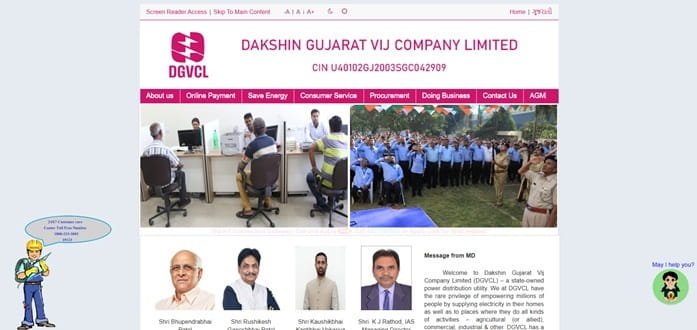
DGVCL Quick Details
| Details | Information |
| Full Name | Dakshin Gujarat Vij Company Limited |
| Common Name | DGVCL |
| Service Area | South Gujarat |
| Main Services | Electricity distribution and consumer services |
| Online Bill Payment | Available |
| Bill Viewing | Available through consumer/smart-meter services |
| Payment Without Login | Available for supported services / one-time payment |
| Customer Care | 1800-233-3003 |
| Corporate Office | Urja Sadan, Nana Varachha Road, Surat |
| Official Website | dgvcl.com |
DGVCL provides online consumer access with mobile/OTP login and an option to proceed without login. Smart-meter consumers also have a dedicated portal with account login, one-time payment and consumption/balance features.
DGVCL Login
The DGVCL consumer-support portal currently allows login with a phone number and OTP. Consumers without an account can sign up, while the portal also offers a Proceed Without Login option for supported services. Smart-meter consumers use a separate DGVCL Smart Meter login that supports username/password and OTP-based access.
To access DGVCL online consumer services, follow these general steps:
- Visit the official DGVCL website and open the consumer-services portal.
- Select Consumer Login.
- Enter the registered phone number.
- Request and verify the OTP.
- If not registered, use Signup and complete the requested contact details.
- For supported services, use Proceed Without Login when a full account is not required.
- Smart-meter users should use the dedicated DGVCL Smart Meter portal for meter-specific account functions.
If OTP is not received, first verify that the mobile number linked with the connection is current. Smart-meter and ordinary postpaid services may appear on different DGVCL portals, so consumers should follow the route linked from the official DGVCL website for their meter type.
DGVCL Electricity Bill Payment
DGVCL supports online bill payment for electricity consumers, including one-time payment options. The payment process uses the Consumer Number to identify the electricity account before the amount is paid.
Smart-meter users can also make payments or prepaid recharges through the dedicated smart-meter portal. Consumers should confirm whether their connection is an ordinary postpaid meter or a smart/prepaid meter before choosing the payment route.
How to Pay DGVCL Electricity Bill Online
The general process is:
- Open the official DGVCL consumer/payment service.
- Choose the bill-payment or one-time payment option.
- Enter the Consumer Number.
- Fetch the electricity-account details.
- Verify the consumer name, balance/outstanding amount and meter status where shown.
- Enter the required contact details if requested.
- Select an authorised payment method and complete the transaction.
- Save the confirmation, payment reference or receipt.
The DGVCL smart-meter one-time payment page states that paid amounts may take time to update in the consumer account. Consumers should therefore avoid repeated payments simply because the balance does not change immediately.
For standard postpaid consumers, use the bill-payment route linked from DGVCL’s official consumer services. Smart-meter users should use the smart-meter payment/recharge system, where real-time balance and prepaid functions are available.
How to View DGVCL Electricity Bill
DGVCL consumers can view bill and account information through the consumer portal, while smart-meter users have additional access to energy-use, balance and billing information through the smart-meter system.
Steps to View DGVCL Bill
- Visit the official DGVCL consumer portal.
- Login with the registered mobile/OTP or proceed without login if the required service supports it.
- Enter or select the Consumer Number.
- Open the billing or account section.
- Fetch the current bill/status information.
- Check the billed amount, payment status and consumer details.
- Smart-meter users can also review balance and consumption data in the dedicated portal.
- Download or retain the available bill/receipt information as required.
The Consumer Number should be taken from a recent DGVCL bill. If the portal cannot find the connection, recheck the digits and make sure the consumer is using DGVCL rather than another Gujarat DISCOM.
DGVCL maintains a separate Last Payment Receipt facility where consumers can enter the Consumer Number and complete verification to retrieve payment-receipt information.
How to Download DGVCL Bill
Consumers can save bill or payment information from the relevant DGVCL portal where the download/receipt option is available. The Last Payment Receipt service is particularly useful when proof of an earlier online payment is required.
For smart-meter consumers, retaining recharge/payment references is important because the account may update after processing. If there is a discrepancy, the Consumer Number and transaction reference allow customer care to trace the payment.
DGVCL Customer Care Number
DGVCL’s customer/payment support number is 1800-233-3003. The company also provides digital contact facilities through its consumer portals and lists contactus@dgvcl.com for general support on the smart-meter platform.
| Customer Service | Contact | ||||||
| DGVCL Customer / Payment Support | 1800-233-3003 | ||||||
| General Support Email | contactus@dgvcl.com | ||||||
| Corporate Office Phone | 0261-2506000 | ||||||
For supply or billing complaints, keep the Consumer Number, registered mobile number and exact location ready. Smart-meter consumers should also note whether the problem concerns billing, prepaid balance, recharge or meter communication, because those issues may be handled through different support workflows.
The registered and corporate office of DGVCL is:
Urja Sadan, Nana Varachha Road, Kapodara, Surat, Gujarat – 395006. Routine bill payments, complaint registration and payment-status issues should normally be handled through the online services or customer-support channels rather than by visiting the corporate office.
Other DGVCL Online Services
DGVCL digital services include consumer login/signup, no-login access to supported services, online payment, contact-detail updates, complaint support, last-payment receipt and a separate smart-meter platform with prepaid recharge, balance information and energy-use monitoring.
Frequently Asked Questions
Q. Why does DGVCL have a separate smart-meter portal?
Smart/prepaid meters need functions that ordinary postpaid billing does not, such as real-time or frequently updated balance information, prepaid recharge and detailed consumption monitoring. Consumers should use the smart-meter portal only when their connection has been migrated to that system.
Q. What should I do if a DGVCL payment is successful but the balance has not changed?
Do not immediately repeat the transaction. Keep the payment reference and allow the portal time to update. If the payment still does not appear, use the receipt/status facility or contact DGVCL with the Consumer Number, amount, date and transaction reference.
Q. Why am I not receiving the OTP for DGVCL consumer login?
The most common reason is an outdated or incorrectly linked mobile number. Check that the number entered is the one registered for the electricity account. If it is not, use the official contact-update/support route before attempting repeated logins.
Q. What should I do if my DGVCL bill shows unexpectedly high consumption?
Compare the bill reading and consumption with the actual meter and earlier periods. Take a clear meter photograph and register a billing/meter complaint if there is a substantial unexplained difference.
Q. How can I prove an older DGVCL payment if I no longer have the receipt?
Use DGVCL’s Last Payment Receipt service with the Consumer Number and required verification. If the receipt cannot be retrieved, keep the bank statement or UPI transaction reference and contact customer support for reconciliation.



