JBVNL stands for Jharkhand Bijli Vitran Nigam Limited. It is the electricity distribution utility serving Jharkhand. Its official online services allow consumers to handle routine billing and account work without visiting an electricity office for every request.
JBVNL provides Quick Pay for postpaid bills and prepaid recharge, along with a registered Prepaid/Postpaid Consumer Login. Registered consumers can access monthly bill history, consumption information and service requests, while one-time bill payment can be completed without opening the full dashboard.
This article explains JBVNL login, online electricity bill payment, how to view or download a bill, customer care details and practical online services consumers may need.
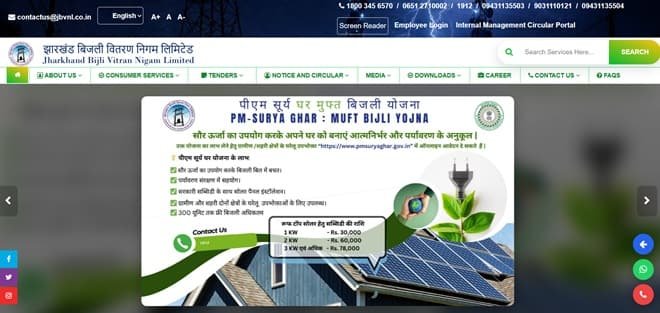
JBVNL Quick Details
| Details | Information |
| Full Name | Jharkhand Bijli Vitran Nigam Limited |
| Common Name | JBVNL |
| Service Area | Jharkhand |
| Main Services | Electricity distribution and consumer services |
| Online Bill Payment | Available |
| Bill Viewing | Available |
| Primary Consumer Identifier | Consumer Number / Account Number |
| Customer Care | 1912 / 1800-345-6570 / 0651-2710002 |
| Office | Engineering Building, H.E.C., Dhurwa, Ranchi, Jharkhand – 834004 |
| Official Website | jbvnl.co.in |
The official consumer system currently uses JBVNL Consumer Self Care / Suvidha. Consumers should enter the identifier exactly as printed on a recent bill and verify the connection details before authorising a payment.
JBVNL Login
JBVNL provides registered Prepaid/Postpaid Consumer Login along with Suvidha/self-care services. A registered account is useful for bill history, consumption history and service requests.
To access JBVNL online consumer services, follow these general steps:
- Open the official JBVNL website.
- Select Prepaid/Postpaid Consumer Login.
- Enter the registered username/mobile credentials required by the current portal.
- Complete verification and sign in.
- If a new account is needed, use the registration/New User option on the Suvidha platform.
- Link or select the Consumer/Account Number.
- Open bill history, consumption details, complaints or service requests as required.
If login fails, verify the consumer identifier and registered mobile/contact details before repeatedly resetting credentials. A recently changed mobile number or unmapped connection is a common reason for OTP or account-access problems.
JBVNL Electricity Bill Payment
JBVNL consumers can pay electricity dues through the authorised online payment route. In most cases, a one-time or quick-payment option is available so a consumer does not need to open the full registered dashboard merely to clear the current bill.
Before payment, keep the Consumer Number / Account Number and a recent bill ready. Always confirm the consumer name, service address and amount shown on screen before proceeding to the payment gateway.
How to Pay JBVNL Electricity Bill Online
The general process is:
- Open the official JBVNL website.
- Choose Quick Pay Bill Postpaid / Prepaid Recharge EPI.
- Select the appropriate postpaid or prepaid payment type.
- Enter the Consumer/Account Number and other requested details.
- Verify the outstanding bill or recharge amount.
- Choose an available payment mode such as UPI, net banking or card.
- Complete payment and keep the acknowledgement/reference.
After payment, do not close the page until the transaction status is displayed. Save the acknowledgement, transaction ID or receipt. This is especially important when payment is made close to the due date or when the account has previous arrears.
If the bank account is debited but the utility does not immediately show the payment, avoid making a duplicate payment without first checking payment status/history and the transaction reference.
How to View JBVNL Electricity Bill
JBVNL provides online bill access through its consumer or bill-viewing system. Depending on the utility, the current bill may be fetched directly with the Consumer Number / Account Number, while historical bills generally require a registered account.
Steps to View JBVNL Bill
- Login to the JBVNL Prepaid/Postpaid Consumer Self Care service.
- Select the required Consumer/Account Number.
- Open Monthly Bill History / Bill History.
- Choose the relevant billing period.
- View the bill, consumption and payment information.
- Download or save the bill where the portal/app provides the facility.
- Use Quick Pay separately when you only need to clear the current outstanding amount.
When checking a bill, review more than the total payable amount. Confirm the billing period, meter reading, units consumed, previous balance or adjustment, due date and any delayed-payment charge shown on the account.
How to Download JBVNL Bill
Where the portal provides a bill PDF, statement or printable bill view, open the required billing period and use the download/print option. Consumers who need an older document should use bill history or statement-of-account services rather than relying only on the current Quick Pay screen.
It is useful to save important bills and payment receipts for address proof, reimbursement, tax/accounting records, tenant-landlord reconciliation or future billing disputes. A saved copy also helps when a portal is temporarily unavailable.
JBVNL Customer Care Number
The principal JBVNL consumer-support contact is 1912 / 1800-345-6570 / 0651-2710002. Consumers should use official customer-care channels for supply failure, billing errors, meter issues, payment problems and other electricity-service complaints.
| Customer Service | Contact |
| JBVNL Customer Care | 1912 / 1800-345-6570 / 0651-2710002 |
| Additional JBVNL Helpline | 0651-2710002 |
| Official Website | jbvnl.co.in |
When registering a complaint, keep the consumer identifier, registered mobile number, exact service address and a short description of the problem ready. Note the complaint/reference number and use it for follow-up rather than opening repeated complaints for the same issue.
JBVNL Office Address
The relevant corporate/consumer office information is: Engineering Building, H.E.C., Dhurwa, Ranchi, Jharkhand – 834004. Routine bill payments and common service requests should normally be handled through the online portal or local service office unless the matter specifically requires escalation.
Other JBVNL Online Services
Apart from bill payment and bill viewing, JBVNL digital services include postpaid bill payment, prepaid recharge, bill/consumption history, payment verification, virtual account for NEFT/RTGS, complaints/service requests, new connections, modification requests and rooftop-solar services.
Availability can depend on consumer category, meter type and service area. Smart/prepaid consumers may see additional recharge or consumption options that do not appear for ordinary postpaid connections.
Frequently Asked Questions
Q. What should I do if I do not know my JBVNL Account Number?
Use JBVNL’s Know Your Account Number facility or check a recent bill before attempting payment. Entering an incorrect account number can fetch the wrong connection or fail completely.
Q. Can I pay a JBVNL bill through NEFT or RTGS?
JBVNL provides a consumer virtual-account facility for supported NEFT/RTGS payments. Consumers should generate/use the official virtual-account details for their own connection rather than transferring funds to an unverified bank account.
Q. What should I do if a JBVNL digital payment is not posted?
Use payment verification where available and keep the gateway/bank reference. If the payment remains missing, contact JBVNL with the Consumer Number, amount, date and transaction reference.
Q. How can I report a dangerous electrical situation to JBVNL?
Treat fallen lines, transformer fire or exposed live equipment as an emergency and contact 1912 immediately. Keep away from the equipment and provide the exact location so the field team can identify the site.
Q. Can I request a name or load change online with JBVNL?
JBVNL provides existing-connection modification/service-request facilities through its consumer system. Outstanding dues and supporting documents may need to be cleared or submitted before the request can be processed.



